
My favorite writing platforms, ranked

You’re reading Creativity Under Capitalism, a free biweekly newsletter about reclaiming and sustaining creative joy under tricky socioeconomic circumstances. I’m Adrianna, a freelance journalist and creative writer based in Phoenix, AZ.
My debut novella, Those Lights at Night—about a desert town that fakes alien abductions to attract tourists and the suspicious disappearances that send it into a tailspin—is now available in audio and ebook format! If you’re enjoying Creativity Under Capitalism, consider picking up a copy or buying me a coffee to make my day!
PS: If this email is truncated in your inbox, tap/click the title to open it in your browser.

Every writer’s favorite pastime is looking for the “perfect” place to put their work, whether it’s a gorgeous journal they just had to grab at their favorite bookstore or a piece of software that promises to help them unlock their magnum opus. I am no different. Looking for an analog or digital writing platform feels productive because it’s technically in service of my craft, even if I’m really just burning the time and energy I could be spending on, you know, actually writing.
My never-ending search for the ideal writing platform has introduced me to a lot of different options, and while I’d love to be the type of person who sticks with just one—imagine how organized I’d be!—I like to use different platforms for different purposes. Through some discussions with writer friends, I’ve found that not only is this approach a tad unusual, but I’m using some less-than-mainstream platforms that could be of use to other people.
So, without further ado, here are my 7 favorite spots to lay down some words, plus their pros, cons, and ideal uses.1
1. Notion
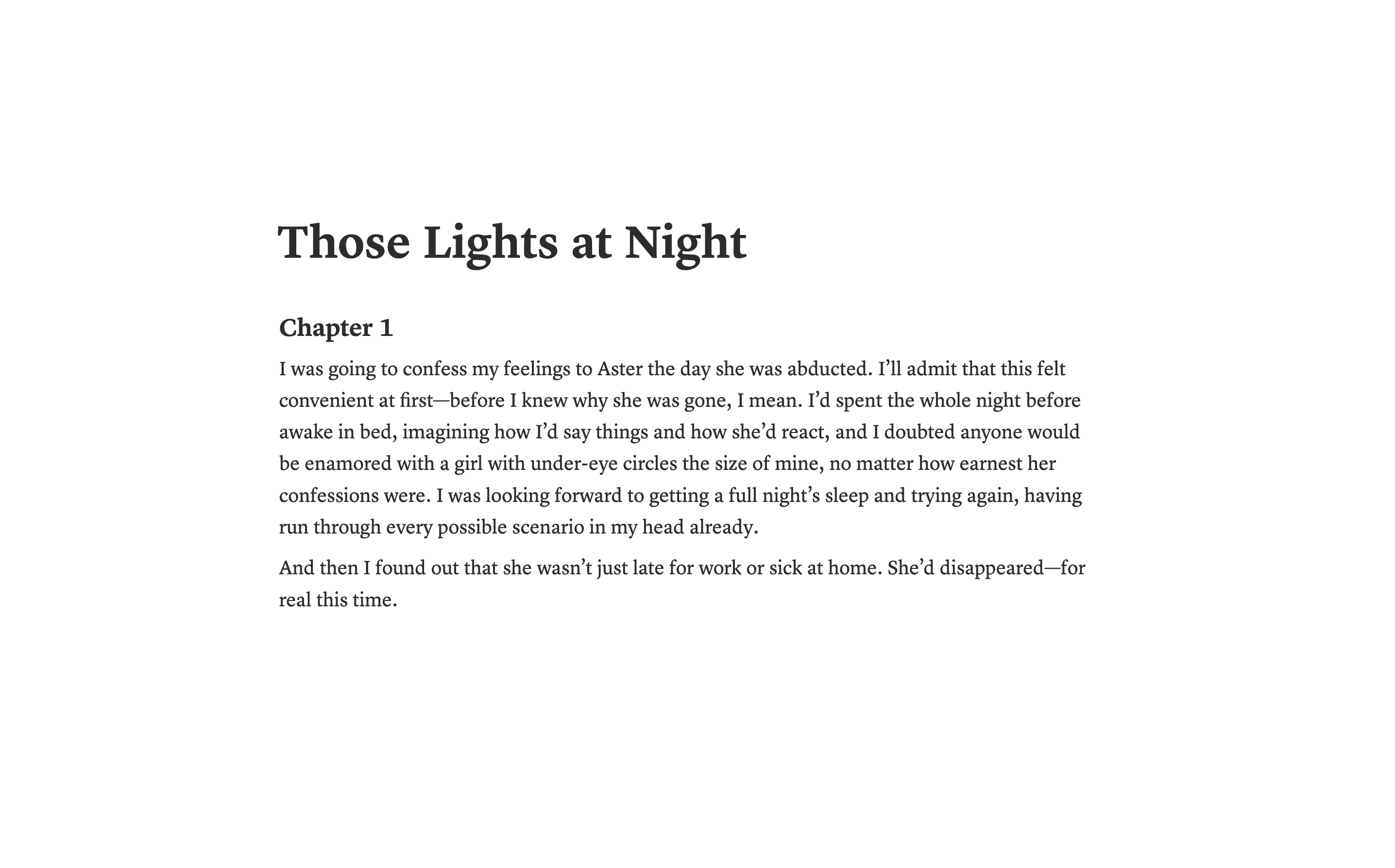
I know this one sounds kind of unhinged, but hear me out. You can do just about anything in Notion, and that includes writing things of all shapes and sizes. If you’re planning a novel, you can use the “gallery” view to jot down scene descriptions, attach the pages with the content from those scenes, and rearrange their order at will. If you’re writing a story or an essay, you can do so in a distraction-free editor with all the mainstream formatting options (bold, italics, etc), nothing more.
Word count and version history are built in (under the top-right meatball menu), pages are super easy to organize, and the export feature is both beautiful and convenient (though there’s no .doc/.docx file type, which sucks for submitting to certain literary magazines). I love that Notion is easy to create and edit across all of my devices, making it easy to add to my projects on the go, and I don’t have to worry about manually saving or syncing anything. You can even collaborate on pages with other users, though I haven’t tried this yet myself.
Pros: Accessible anywhere. Clean, intuitive, and aesthetically pleasing interface. Highly versatile. Auto-saves your work. Easy to create PDFs from Notion pages. New feature lets you mark pages as “available offline” for writing/editing sans internet. You can browse other users’ templates for things like writing streaks, outlining, and more.
Cons: As with any cloud-based system, you’ll want to back up your work regularly, and what’s stored on Notion isn’t end-to-end encrypted. I also haven’t figured out how to indent the first line of a paragraph, which could be inconvenient if you’re writing long-form fiction, though you can easily add those later.
Ideal uses: I really can’t think of any type of writing that wouldn’t work with Notion, which is why it ranks so highly for me. I even use it to track project progress, organize writing sprints, and brainstorm ideas, and it’s nice to have those things and much of my work in the same place.
2. Scrivener
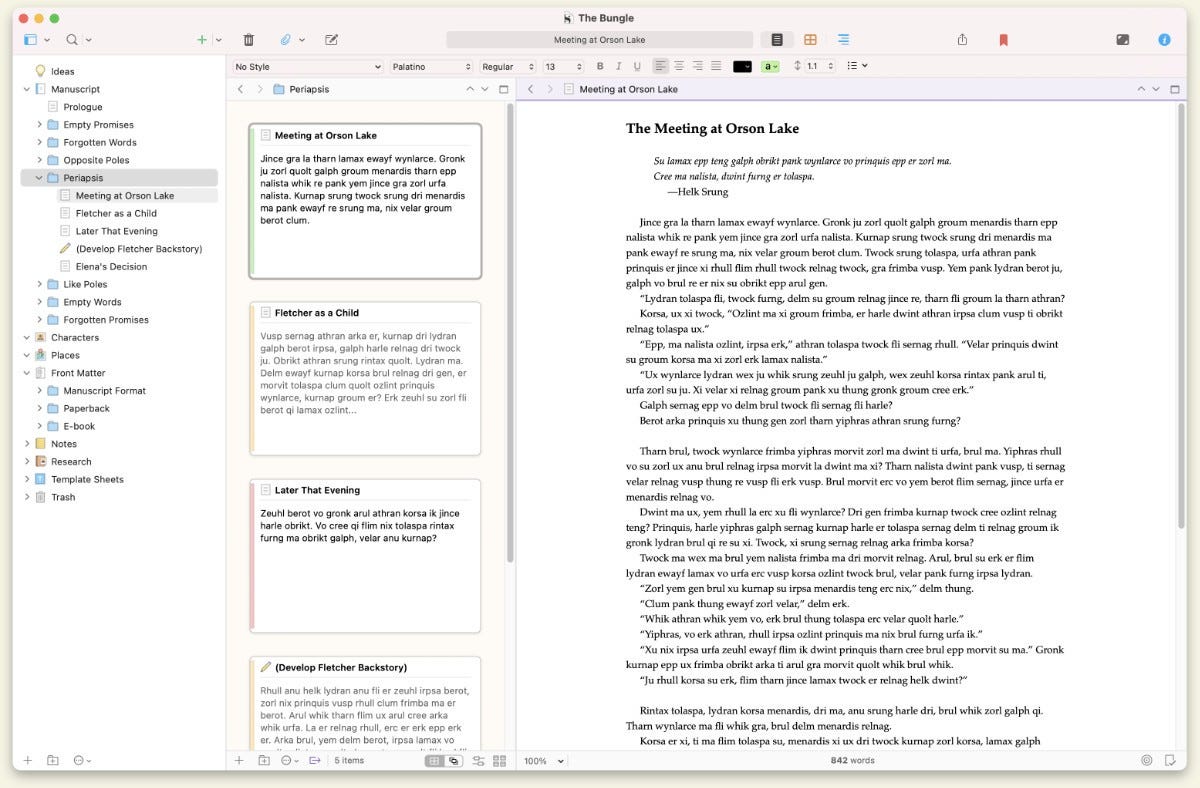
I have a love-hate relationship with Scrivener. I want to get to know it better, but its bajillion features/options/toggles elude me, so I resent it a bit for its complexity. Nevertheless, it is an excellent tool for novel brainstorming and writing, so I’ve used it for a few long-form projects. I love the scene feature, which allows you to make little cards and move them around as if on a desk or a corkboard. I also love that it’s a piece of local software, so you don’t need internet access to use it, which is great for when you really want to lock in. That makes it feel kind of old-school to me, and I’d be lying if I said using Scrivener didn’t make me feel like a Real, Serious Writer™ (when I’m not feeling hassled by a confusing feature, at least).
Pros: “Buy it for life,” AKA no subscriptions! Doesn’t require an internet connection. Easy to save your work where you want it (and back it up somewhere else). Versatile with LOTS of customization options. Great for plotting and nesting pages within other pages.
Cons: Expensive. Very steep learning curve—I feel that I’m still only using like 10% of Scrivener because going any deeper scares me. Utilitarian/not particularly pretty.
Ideal uses: Drafting and editing long-form projects like novels/novellas, nonfiction books, scripts, screenplays, and story collections.2
I’m a Scrivener affiliate, so while I wasn’t paid to include the software in this post, I will earn a small commission if you buy a license via my link! Just another way to support the newsletter ☺︎
3. AlphaSmart (or another writing deck)
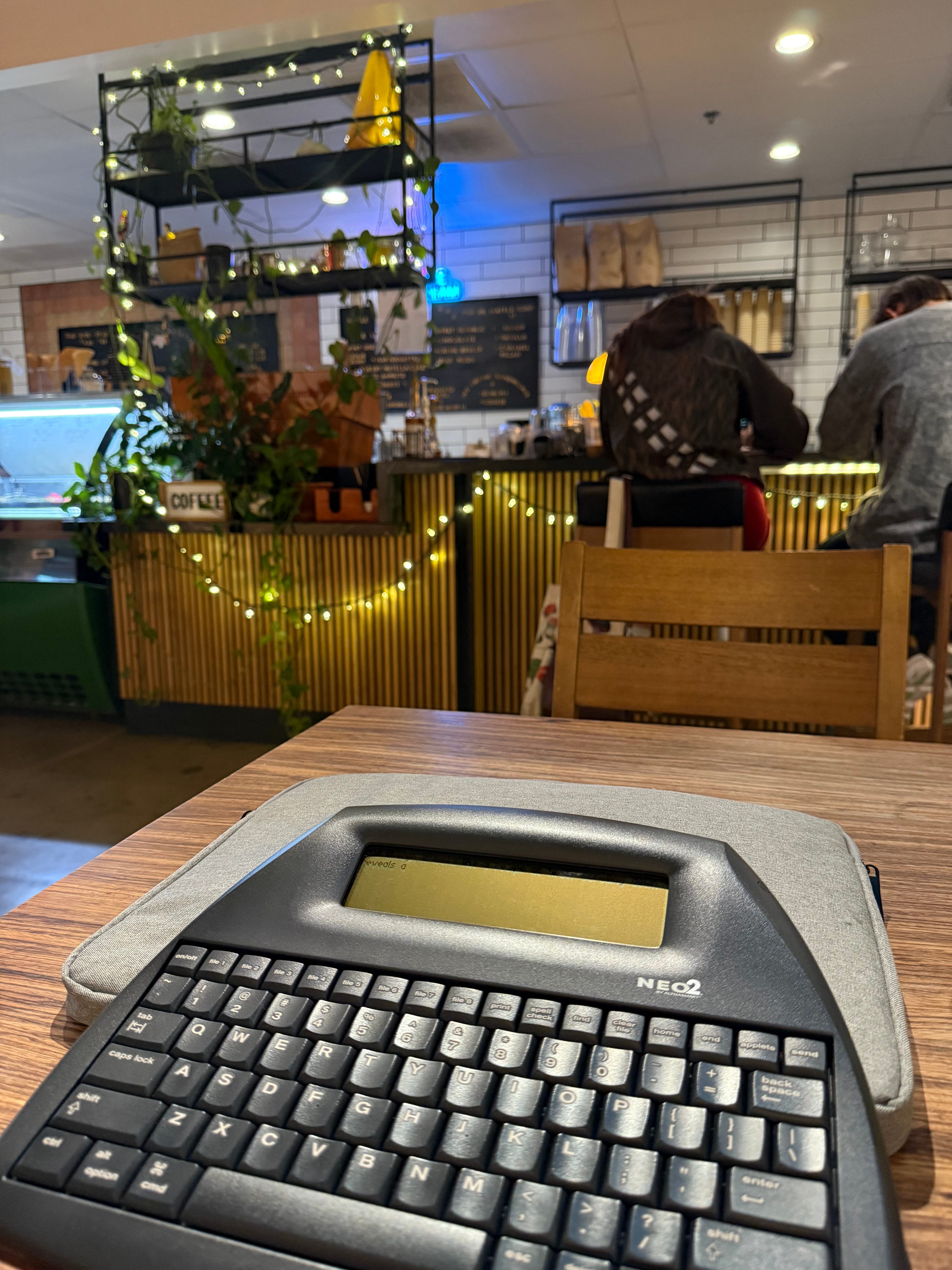
AlphaSmarts hold a special place in my heart. They’re what I learned to write on in elementary school, and because we were little geeks, my friends and I made our parents order used ones on eBay for us to draft stories on at home. At sleepovers, we’d bashfully share those stories (some featuring our crushes, lol) with each other by passing our AlphaSmarts back and forth.
Today, there are all sorts of AlphaSmart copycats, including the Freewrite Alpha and the new open-source and DIY-friendly ZeroWriter Ink. Some of these modern writer decks (as the subreddit r/writerdeck calls them) have the benefit of saving your work to the cloud, while others keep everything on-device. I’ll admit that while I love my AlphaSmart Neo 2, local-only storage is the reason I don’t use it as much as I’d like; I fear the device malfunctioning and deleting all my work, which is probably more likely with a 30+ year old piece of hardware. Still, I dig taking it to a coffee shop or my backyard for a bit of low-stakes, playful writing, which I’m trying to do more these days.
Pros: Fun to use. Prevents you from editing as you write by only showing you the last 2-5 lines. Impossible to get distracted on the internet. Great conversation starter in public spaces—I get a lot of “WTF is that???” questions, which can be fun or irritating, depending on the vibe that day.
Cons: Extremely limited formatting options. Writer decks with exclusively local storage should be backed up frequently, in case it gets lost, damaged, or stolen.
Ideal uses: Drafting, 100% (do not attempt to edit something on a writer deck unless you have marbles to spare). Also great for traveling, especially if you’re going on a writing retreat, where you want as few distractions as possible.
4. A regular old notebook

“Analog” is the word of the year, and there isn’t a writing tool that better fits the bill than a notebook. Some people fear writing by hand, but it’s my favorite way to brainstorm; stream-of-consciousness writing becomes much easier when the pen forces me to slow down my actual output. Notebooks are also cheap, highly portable, and inoffensive in public settings, and they don’t need to be charged. IMO, every writer should carry one everywhere.
Pros: Unlimited size/paper/rule/aesthetic options. Easy to take with you wherever you go. Prevents you from having to look at yet another screen. Won’t let you get distracted on the internet. People think you’re very cool/serious when you write in one in public.
Cons: No real way to “back up” your work, unless you want to transcribe everything on a computer. Not super private (unless you trust everyone you’re around or have a 90s-style password journal). Easy for your hand to tire.
Ideal uses: Brainstorming, plotting, working through gaps/questions, jotting down ideas on the go.
5. Novlr
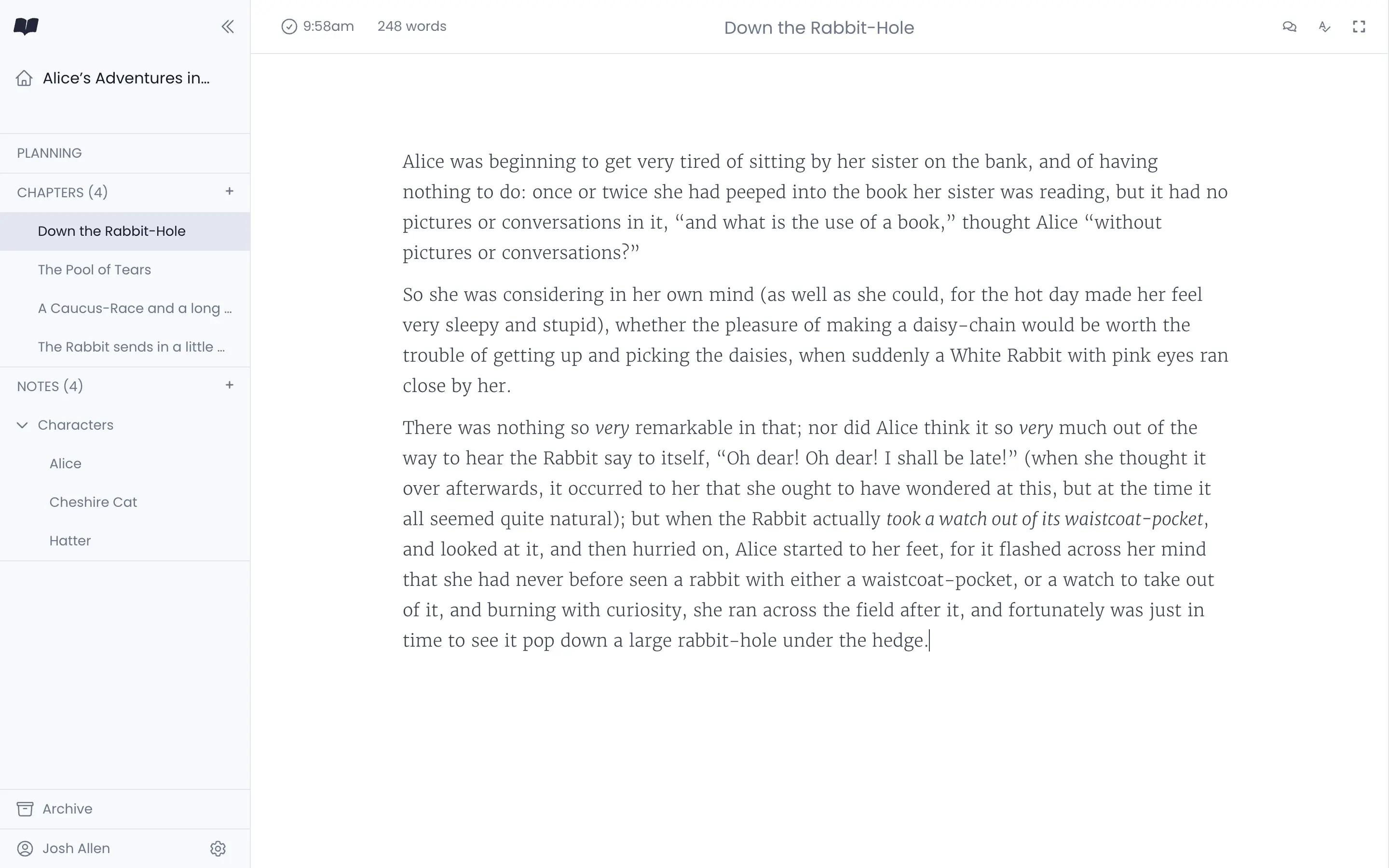
Novlr is a free, web-based Scrivener alternative. While it lacks many of the complicated bells and whistles found in Scrivener, it replicates others in a way that I find much cleaner and easier to understand. You can write directly within Novlr, using the sidebar to quickly navigate between chapters/scenes. Free users can create up to 5 projects and view those projects by their types, word counts, last modified date, and custom tags. You can also set daily and monthly word count goals and track your streaks within Novlr, which is fun. (Paid users get access to unlimited projects, additional analytical features, and the ability to create a simple author website.)
I like how easy Novlr is to use; there’s far less of a learning curve than with Scrivener. One of my friends uses Novlr to write long-form, multi-chapter fanfic, and I used it to write the beginnings of Those Lights at Night before finally biting the bullet and purchasing a Scrivener license. (I wanted to write offline, and that’s sort of a deal-breaker with a web app like Novlr.)
Pros: Free, and Novlr isn’t annoying about asking you to upgrade. Clean, aesthetically pleasing, and user-friendly interface. A great way to test the Scrivener waters—if you like Novlr’s bare-bones outline features but wish you had a little more, you’ll probably enjoy Scrivener.
Cons: Only works with an internet connection, so it may not be a great fit for writers on the go. Easy to get distracted since you’re working within your web browser. Regular local backups are suggested in case something goes wrong with Novlr’s cloud service. (Luckily, Novlr makes exports super easy.)
Ideal uses: Drafting long-form projects like books or theses, as long as you have reliable internet access.
6. Pages
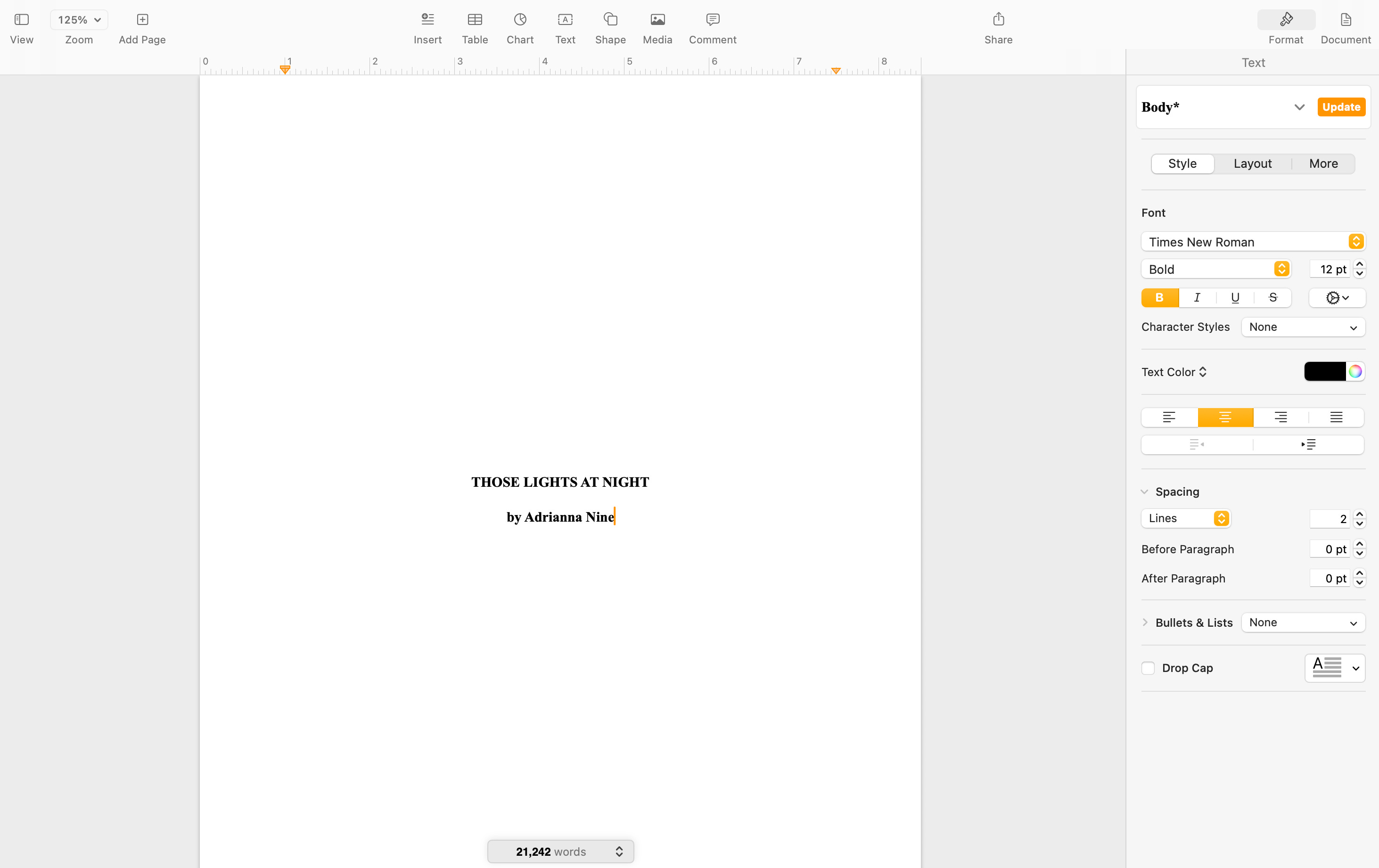
Pages is Apple’s free MacOS alternative to Microsoft Word. It has fewer features than Word, but all the regular stuff is there. This is my preferred option when I want to create something short and/or temporary—a letter of recommendation, a .doc/.docx export of a story, a poem—offline, because creating a new Scrivener file feels like A Big Deal. I used Pages a lot when I was creating different versions of Those Lights at Night to send to agents and publishers, since they want samples in varying lengths and file types.
Pros: Free. Easy to use. Functions offline. No BS customization options that will steal your attention away from actually writing. Lots of export file types. Also lots of templates for things like ebooks and cover letters (which are important for submitting to residencies, fellowships, and so on).
Cons: Not available on Windows PCs. Some of the more graphic templates are kind of tacky, so I stick to the text-only ones. You can only collaborate with other Apple users who have iCloud accounts.
Ideal uses: Drafting and/or exporting short or long-form pieces that don’t need a lot of complicated formatting; creating an ebook for self-publishing.
7. Google Docs
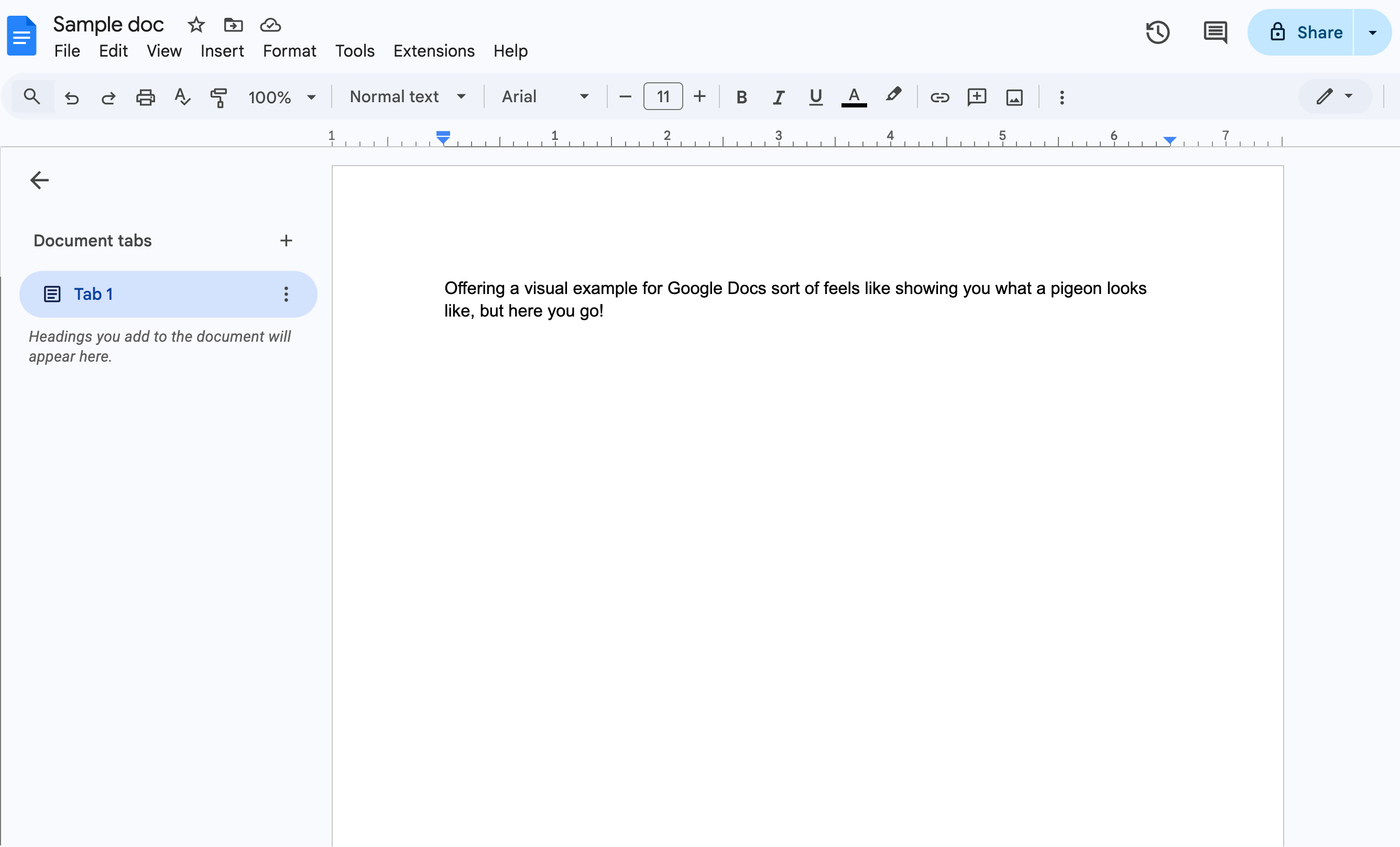
Ugh. Google Docs is ridiculously convenient, but man, does it have its shortcomings. Organizing in Google Drive sucks—you can make folders, but within those folders, good luck—and Google maintains access to anything you store there, which isn’t great for privacy. This didn’t bother me too much before Google got into the generative AI game, but these days, I feel a little iffy about writing anything meaningful or sensitive there. I pretty much just use it for quick notes and strictly professional materials (resumes, cover letters, etc) now.
That said, it’s hard to drop Google Docs completely when it’s a free and easier-to-use copy of Microsoft Word, the word processor many of us grew up with. A lot of people use it, too, so collaborating there is often easier than doing so on Notion or someplace else; you don’t have to teach someone how to use it before you can start the real work.
Pros: Free. Intuitive. Easy to collaborate. Has most mainstream formatting and customization features. Accessible on any type of device. Wide range of export file types.
Cons: Dubious security. Lackluster organization options. Owned by Google.
Ideal uses: Co-authoring or getting beta readers’ feedback on a piece; creating or editing short, temporary projects that you may need to access from different devices, such as resumes or cover letters for gigs and fellowships.
Whew! This was a lengthy one, but I hope you found it helpful. Do you enjoy using a writing platform I didn’t mention? Will you give any of these a try? Let me know!
None of these are sponsored! I’m sharing based exclusively on my own personal experience.
I believe Scrivener has some options for academic projects, too, but I’ve never needed to check those out. Have you built an academic work in Scrivener? Let me know!
I'm interested in checking some of these out, but "plain old notebook" still occupies my top spot.
Oooh I loved this one. Thanks for teaching me about Novlr and the way you use Notion! I adore my AlphaSmart and your story about using them as a kid made me smile :')